
AI vibe coding
with visual feedback
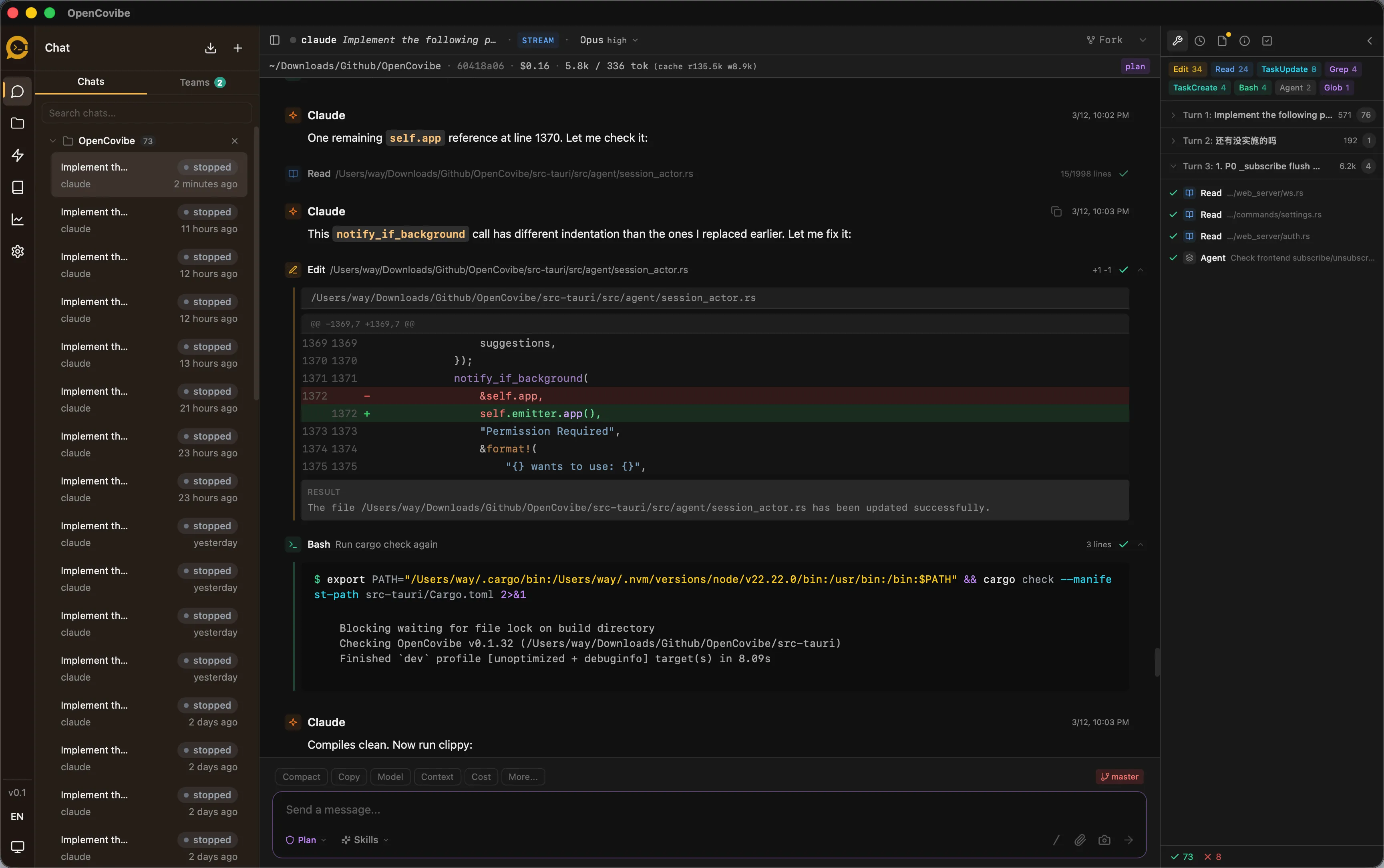
Local-first desktop app that wraps Claude Code and Codex CLI with a rich visual interface — tool cards, run history, visual diffs, provider switching, and more.
All data stored locally. No cloud backend.
The CLI is powerful.
But it's still a terminal.
Claude Code, Codex, and similar AI coding CLIs are incredible tools. But running in a terminal means missing out on a lot.
No persistent dashboard
Close the terminal, lose your context. No way to see all sessions at a glance.
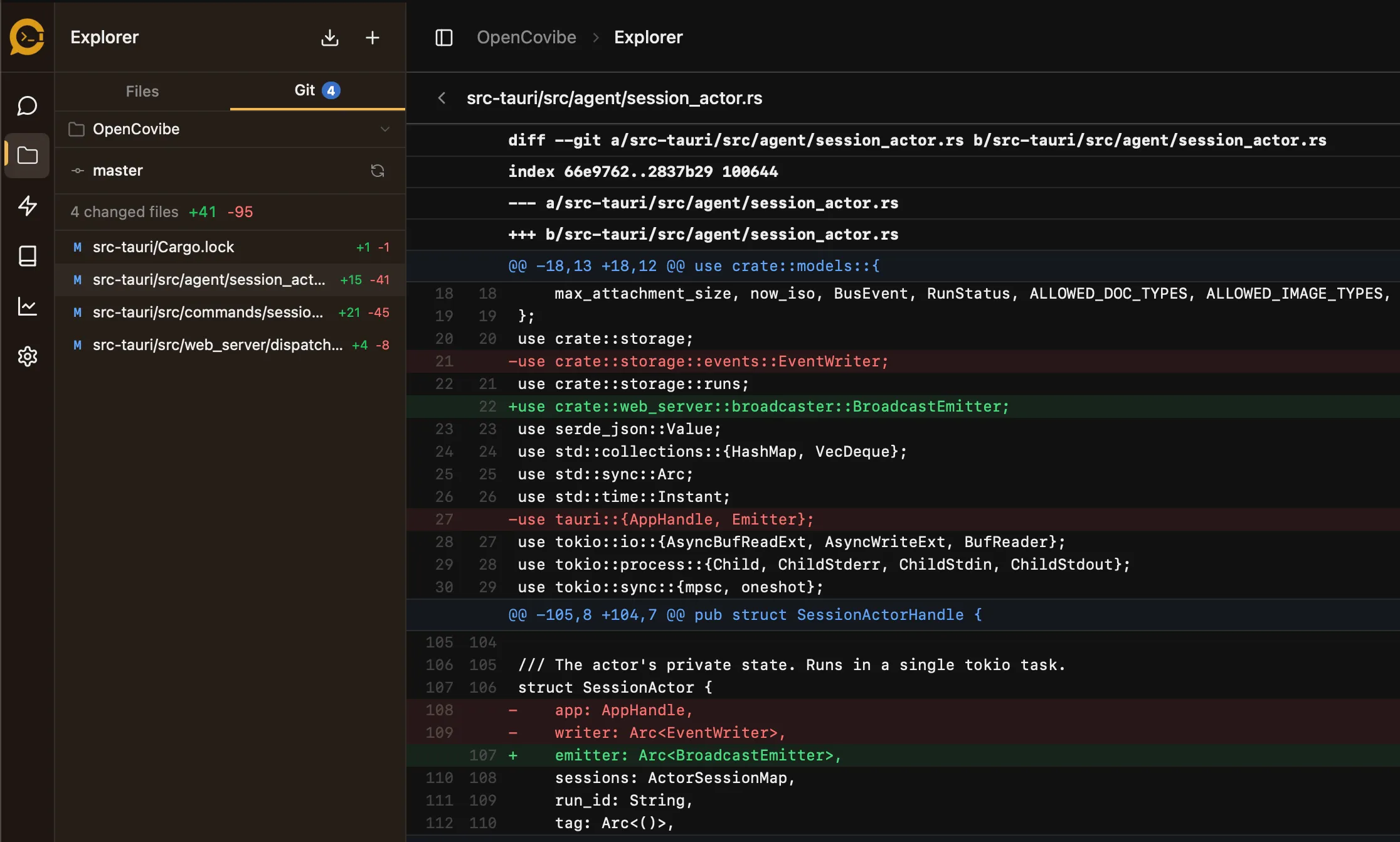
No visual diff review
Code changes appear as raw text. No syntax highlighting, no inline comparison.
No cross-session history
Past conversations disappear. No way to search, replay, or fork previous work.
Features
Everything the terminal can't provide
Persistent dashboard, visual diffs, cross-session history, Claude + Codex sessions, provider switching — and more.
Visual Tool Cards
Every Claude Code or Codex tool call (Read, Edit, Bash, Grep, Write, MCP, and more) rendered as an inline card with syntax-highlighted diffs and structured output.

Claude + Codex Support
Run Claude Code or Codex from the same visual workspace. Codex app-server sessions support live events, command output, file changes, permissions, and turn controls.

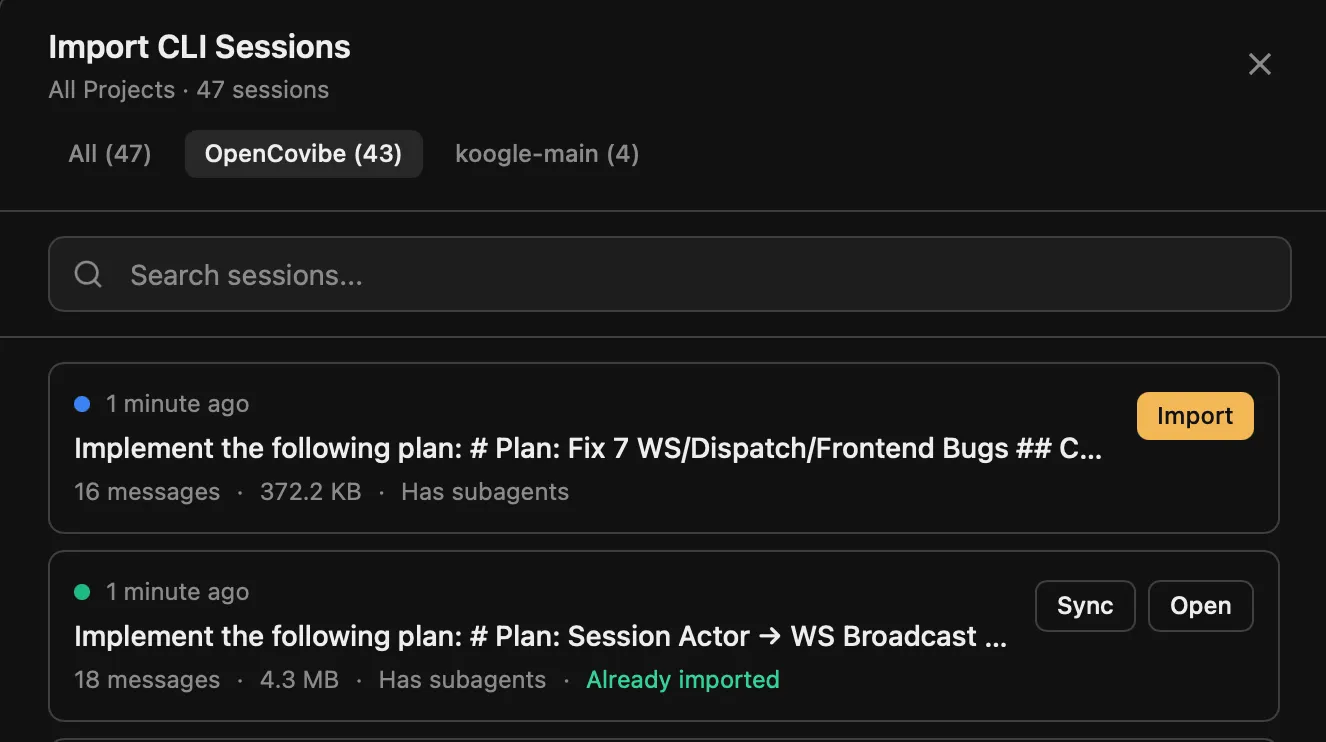
Run History & Replay
Browse all past sessions, replay full event timelines, resume work, or fork experiments from previous runs. Import CLI sessions with one click.
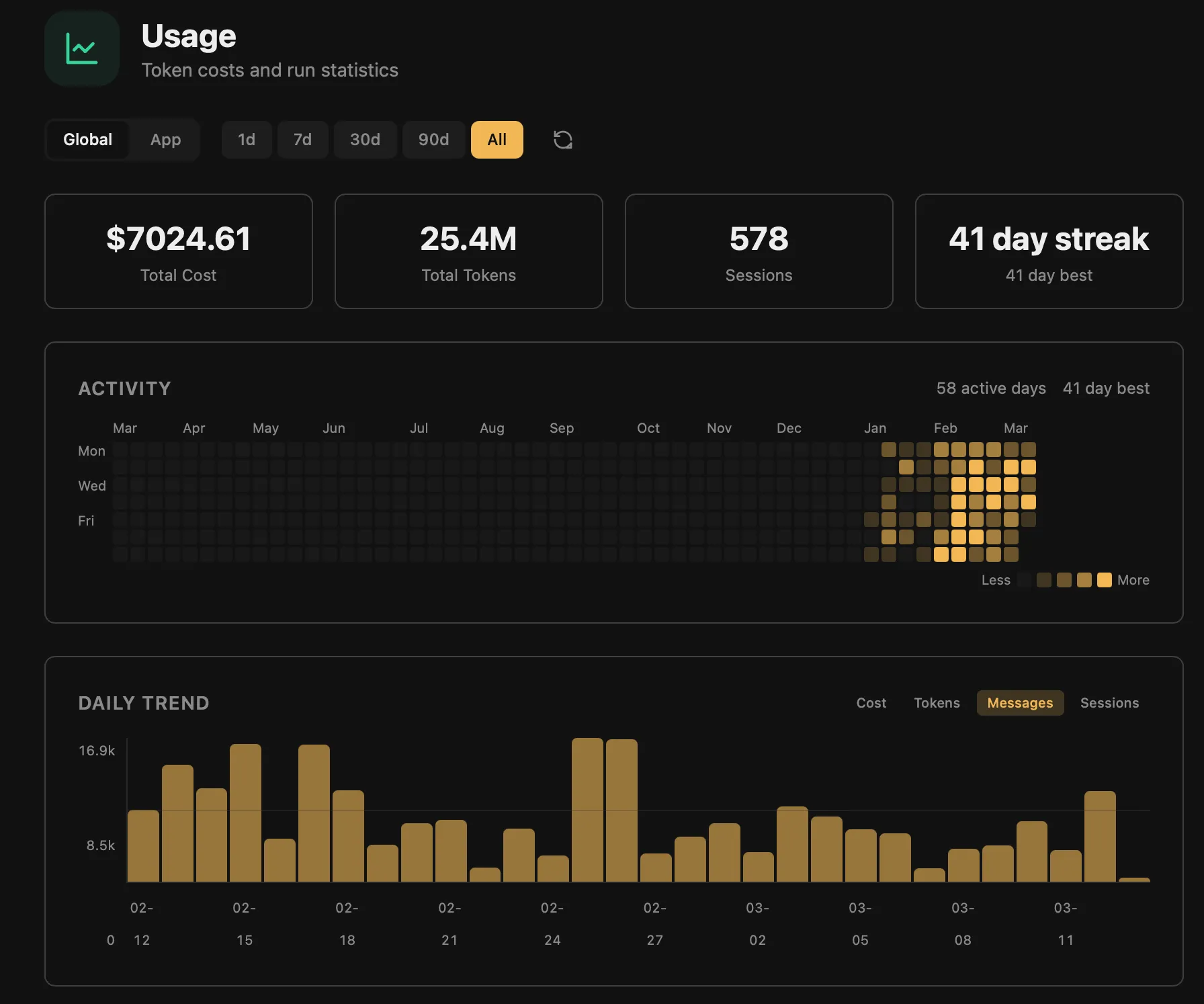
Usage Analytics
Per-model token breakdown, cost tracking, daily heatmap, and session-level stats for Claude Code, with Codex usage visibility expanding alongside the integration.
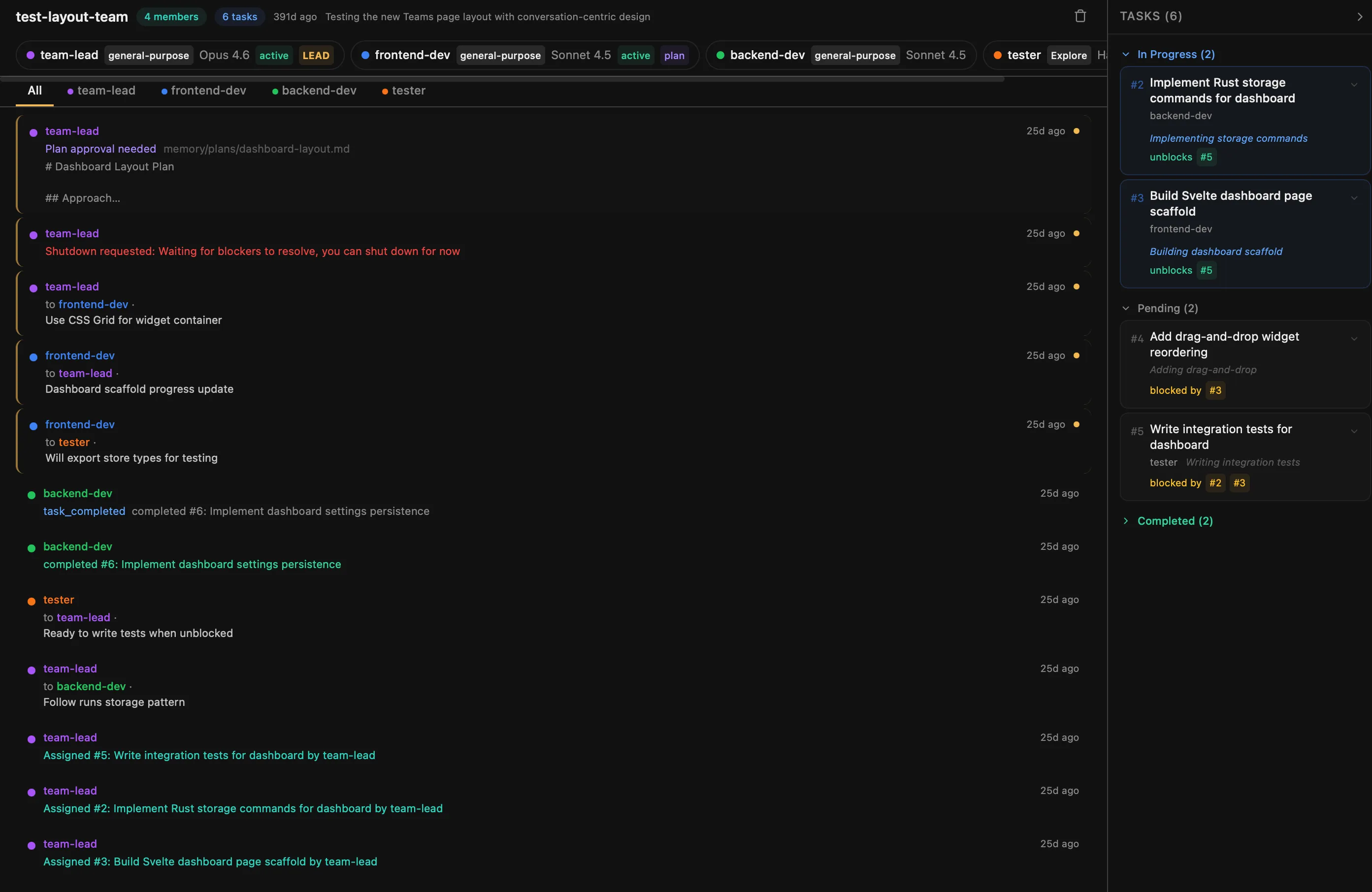
Team Dashboard
Read-only view into multi-agent work — task lists, teammate status, message flow, and real-time collaboration for Claude Code teams and Codex subagents.
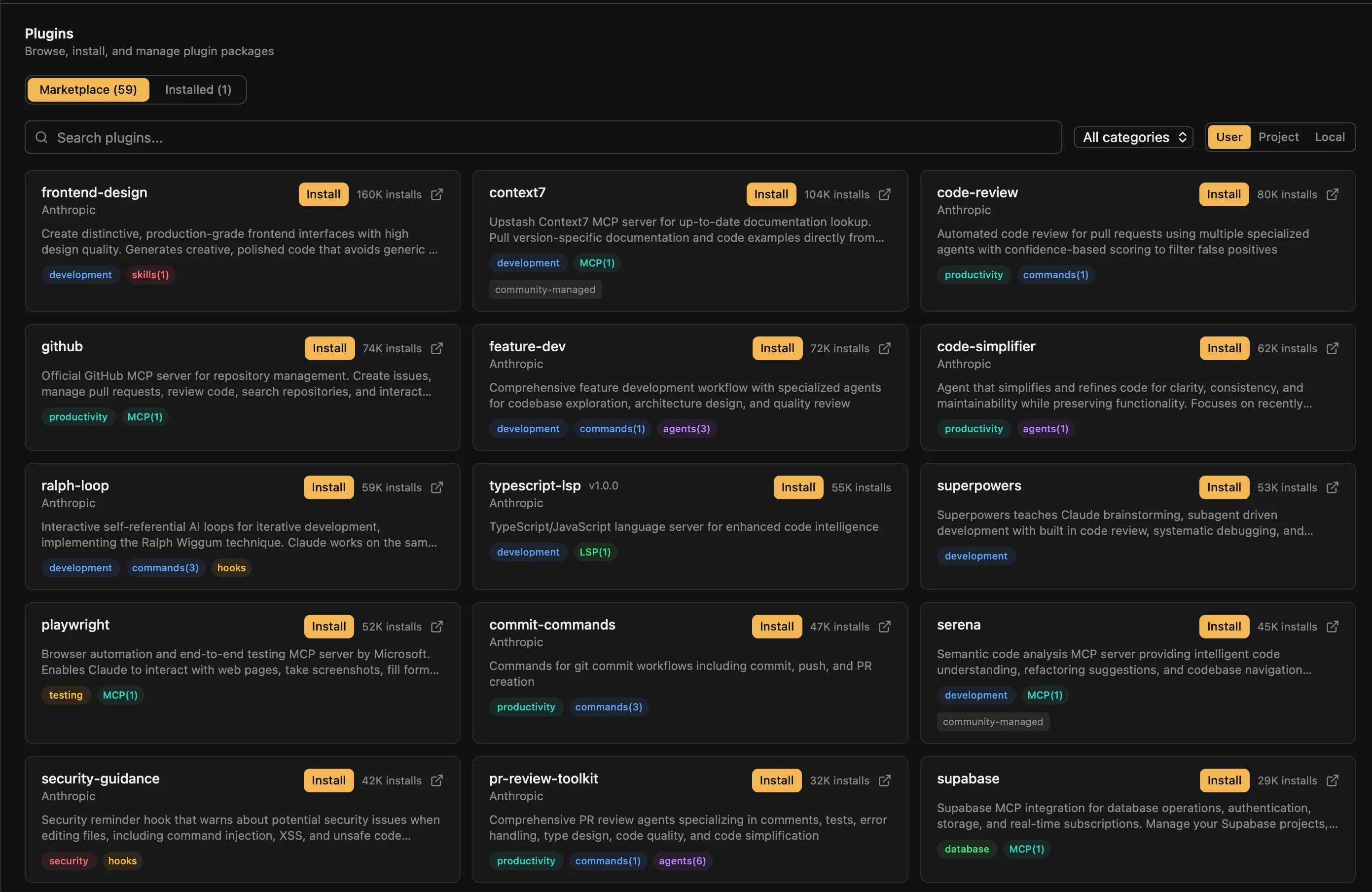
Plugin Marketplace
Browse, install, and manage Claude Code plugins, Codex plugins, skills, and MCP servers from a visual marketplace with categories and search.
And more
Rich features built for developers
Inline Permissions
Rich permission review UI with Allow/Deny buttons and "Always Allow" rules.
Agent Management
Visual editor to create, edit, and manage custom agent definitions.
MCP Management
Discover MCP servers, view per-server status, reconnect or toggle from a panel.
Activity Monitor
Real-time hook event stream, tool activity timeline, subagent tracking.
Providers
Claude and Codex providers
Use Claude Code with Anthropic-compatible providers, or run Codex through OpenAI login and OpenAI-compatible gateways.
Claude Code providers
Supports any Anthropic-compatible API endpoint. Add your own with a custom base URL and API key.
Codex providers
Quick Start
Get started in minutes
Download
Grab the latest release from GitHub — DMG for macOS, ZIP for Windows.
Setup Wizard
On first launch, the wizard detects Claude Code or Codex CLI and configures authentication.
Choose an Agent
Start with Claude Code or Codex, then choose the provider or login mode that fits your workflow.
Start Coding
Open a project and start AI-assisted vibe coding with visual feedback.
FAQ
Frequently asked questions
Everything you need to know about OpenCovibe.
Is OpenCovibe free?
Yes, OpenCovibe is open-source under the Apache License 2.0. Free to use, modify, and distribute.
Does it require a cloud account?
No. OpenCovibe is local-first — all data is stored on your machine at ~/.opencovibe/. You only need network access for the AI model API calls.
Which AI models are supported?
OpenCovibe wraps Claude Code and Codex CLI. Claude Code works with Claude models through Anthropic and 15+ Anthropic-compatible providers; Codex works through OpenAI login and OpenAI-compatible gateways such as Vercel AI Gateway, AIHubMix, Requesty, Fireworks, and Ollama.
Do I need Claude Code or Codex installed?
Yes. OpenCovibe wraps upstream CLIs — it provides the visual interface while Claude Code or Codex handles the AI coding. The setup wizard helps detect and configure the CLI you want to use.
Which platforms are supported?
macOS (primary, fully tested), Windows (functional, actively improving), and Linux (functional, community contributions welcome).
Can I use it without an Anthropic API key?
Yes. You can use third-party Claude Code providers, Codex with OpenAI login or compatible gateways, and Ollama for local model workflows.
Ready to upgrade your
coding workflow?
Download OpenCovibe and start AI-assisted vibe coding with a visual interface today.